
1 pack · 3 widgets
Celestial moon & stars overlays
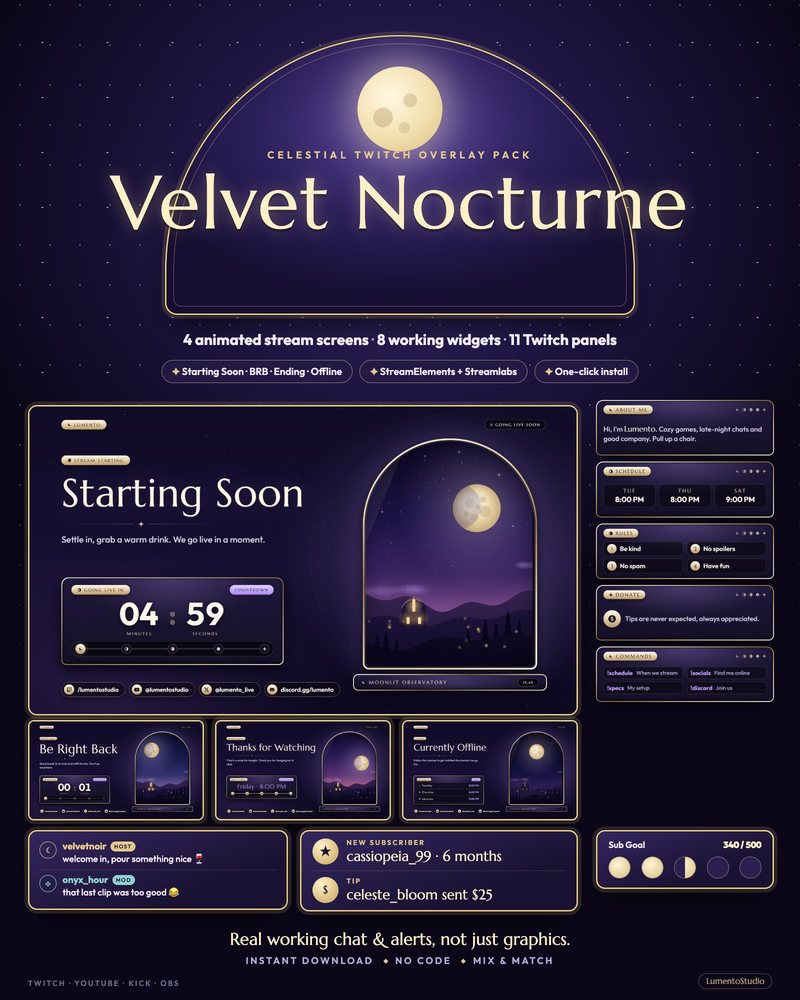
Moons, stars and a clear night sky, done calmly enough to leave on for a whole stream. Velvet Nocturne is the complete overlay pack: plum velvet and soft moon-gold on every chat message, alert and goal, a goal bar that grows through five phases of the moon, and stream screens that open onto a starry observatory sky.
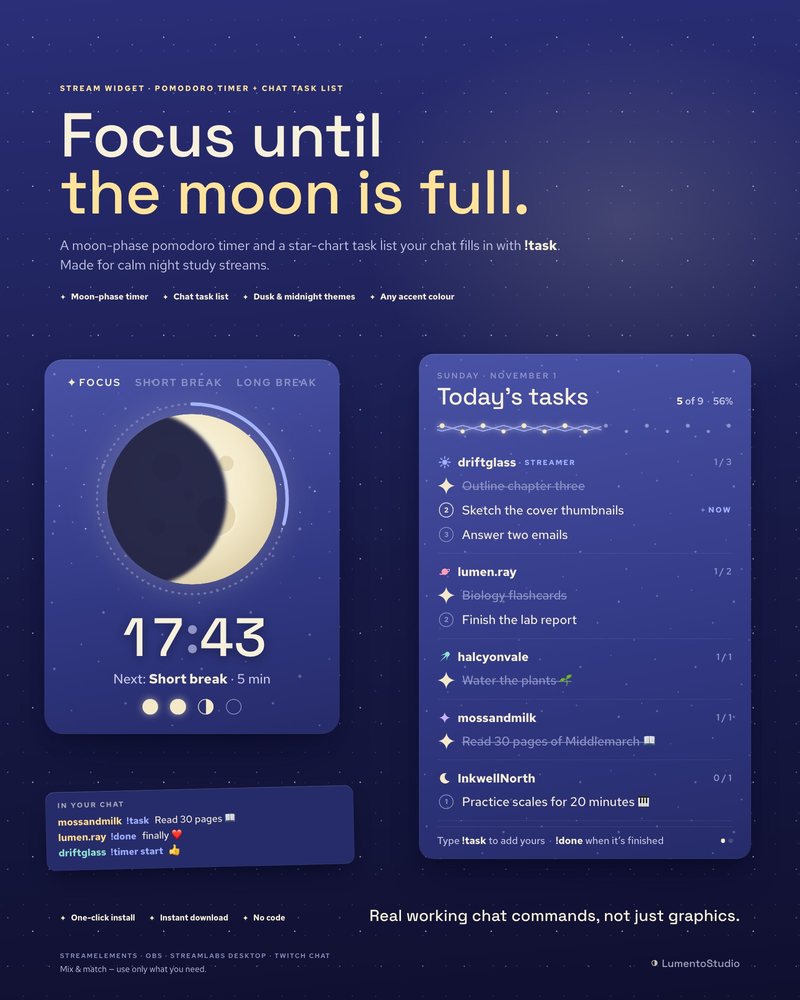
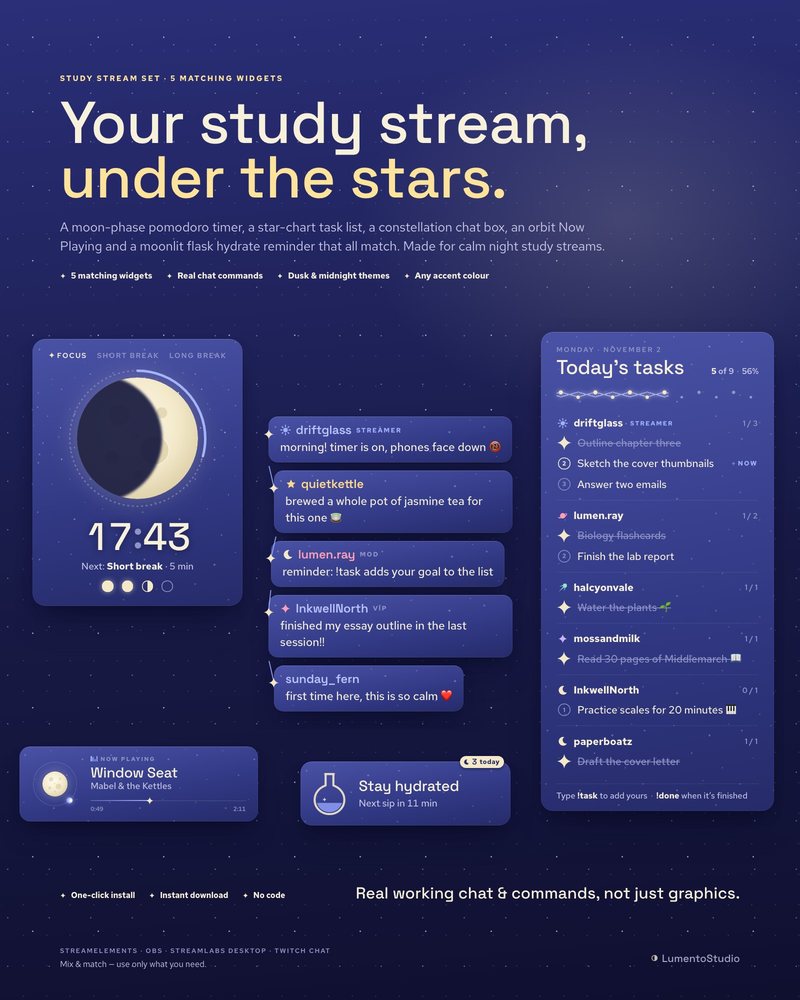
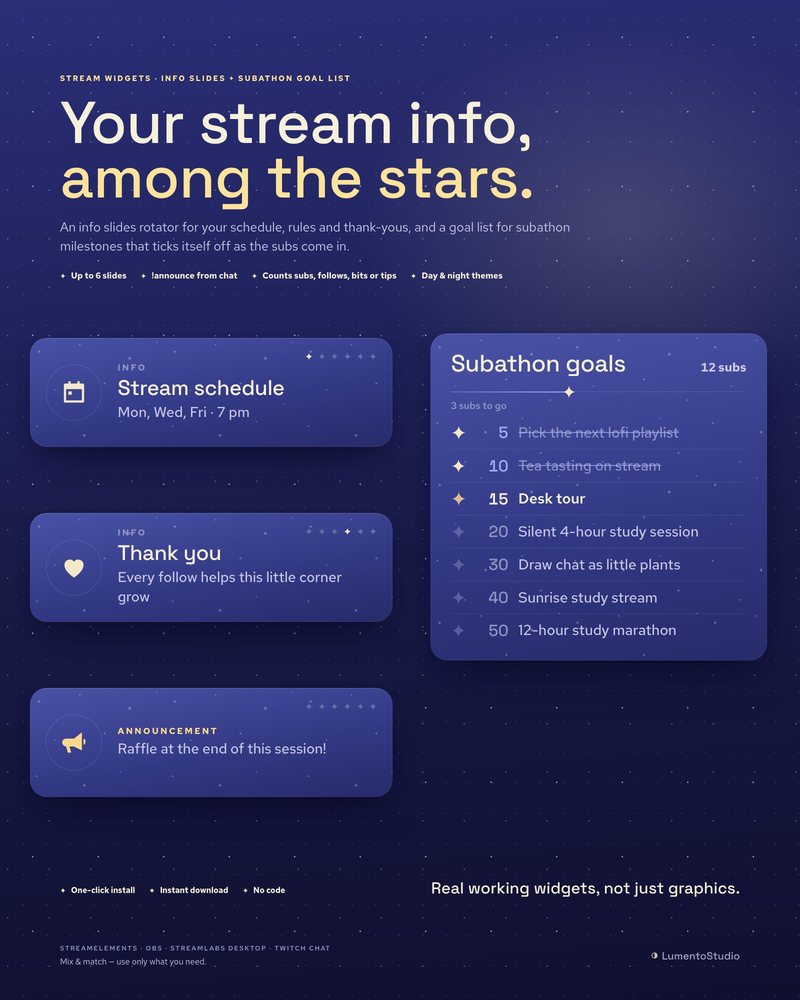
The Celestial Night widgets bring the same sky to study and co-working streams. The pomodoro timer is a moon that waxes from new to full while you focus, your chat fills a star chart with its own tasks, and stream goals light up one star at a time.
- Twitch · YouTube · Kick
- StreamElements & Streamlabs
- Instant download on Etsy
Overlay packs
Single widgets in this style
Add one to any setup, or pair it with a pack above.
Questions
Do the celestial pack and the Celestial Night widgets match?
They share the night-sky theme but are separate products with their own look. Each works on its own; check the previews on each product page before pairing them.
Is a celestial overlay good for late-night or study streams?
Yes. The motion is slow and the colors are low-glare, which suits long night streams, study-with-me sessions and just chatting.
Do I need both StreamElements and OBS?
No. Velvet Nocturne installs through StreamElements or Streamlabs. The Celestial Night widgets install through StreamElements or run as OBS Browser Sources.
Set it up
Short, plain guides for getting overlays on stream.
How to add a pomodoro timer to your stream
Install a pomodoro widget with its StreamElements link or add its HTML file to OBS as a Browser source. Set the focus…
GuideHow to set up a study with me stream
Make three scenes (Starting Soon, Focus and Break), put a pomodoro timer and a chat task list on the Focus scene, play…
GuideHow to add a Starting Soon screen in OBS
Create a scene called Starting Soon, add your screen as a Browser Source (tick Local file if it's an HTML file) or a…